


Body Temperature Fever Tracker
3.895.00 Reviews
App Specs
- Version
- 3.0.0
- Updated On
- License
- Free
- Downloads
- 1,000,000+
- Developer
- Prometheus Interactive LLC
- Categories
- Medical
- Platform
- Android, iOS
Screenshots
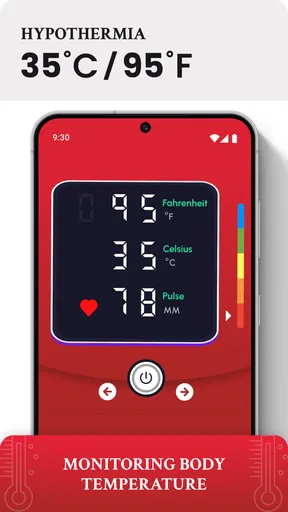
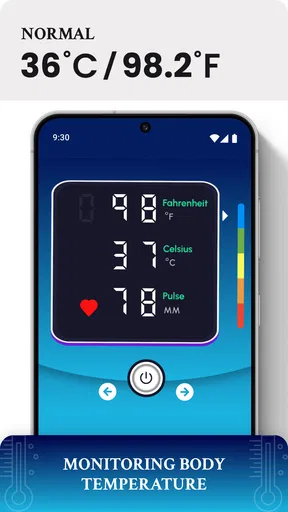
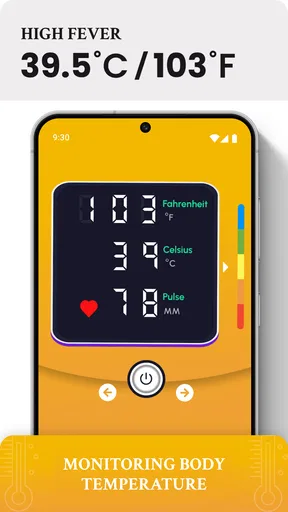
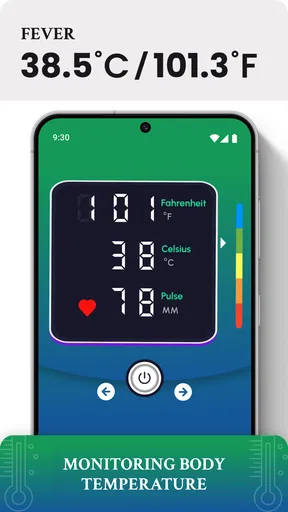
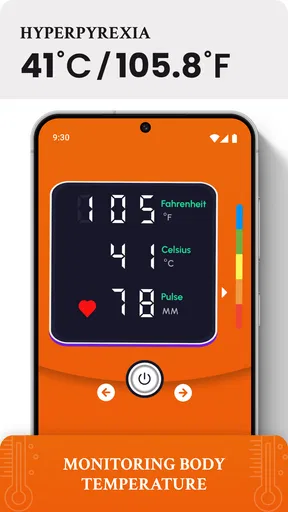
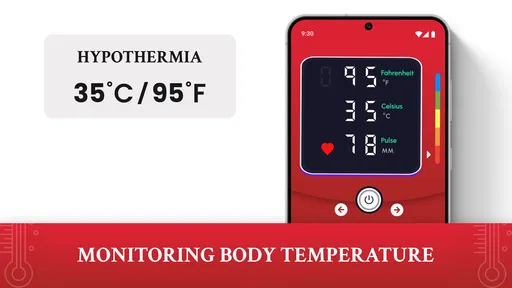
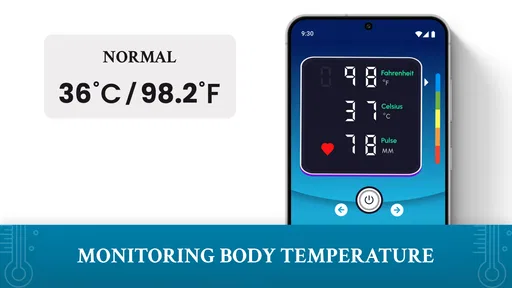
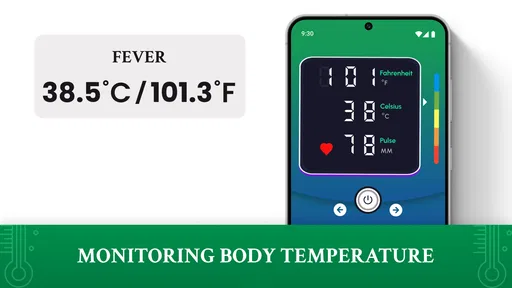
 Analysis by AppCompare
When I want to make sense of a temperature reading, the difficult part is often not taking it but remembering when I took it and how it changed. Body Temperature Fever Tracker is aimed at that record-keeping job: it gives me a place to follow temperature entries over time and review them later. I’d treat it as a companion to a real thermometer, not as a way to measure temperature by itself, which is an important distinction when you are deciding whether it belongs in your health routine.
What this tracker can—and cannot—do
The app’s appeal is less about replacing a familiar medical tool and more about keeping readings together. A thermometer gives you a measurement in the moment; a tracker can help you remember the sequence of measurements and see whether they are moving up or down. That difference is useful during an illness, when one number may feel alarming but the pattern over several checks can be more informative to discuss with a clinician.
I would use the tracker only after taking a reading with a thermometer, then enter the result promptly rather than relying on memory later. If you are caring for someone else, especially a child, this small habit can reduce confusion about whose reading was taken and when. It also makes the app’s history more meaningful: a log is only as helpful as the accuracy and consistency of the information entered into it.
Connectivity and the moments it matters
For a temperature log, connectivity matters most around setup, reminders, and the moment you want to review or share information—not while a thermometer is doing its job. I would not assume the app can take a reading through the phone or that every part of it works without a network connection. The practical approach is to enter readings when the app is available and keep the thermometer as the source of the measurement.
If you are traveling, in a clinic waiting room, or looking after someone while moving between rooms, a phone-based record can be more convenient than loose notes. But that convenience depends on being able to open the app when you need it. Before relying on it for an important stretch of illness, I’d set it up at home, learn where the history is, and check that the reminders you want are configured. That way, the first time you need the record is not also the first time you are figuring out the interface.
A simple routine makes the history more useful
My most practical tip is to decide on a consistent routine before you feel rushed: take the temperature with the same thermometer, use the same method where possible, and record the value soon afterward. Different measurement methods can produce results that are not directly interchangeable, so a change in technique can look like a change in someone’s condition. A tracker cannot correct that problem; careful entries can prevent it.
It also helps to note the context mentally, even if the app’s entry fields do not capture every detail you would like. A reading taken after someone has been resting is not quite the same context as one taken immediately after activity or while bundled up. If you plan to discuss a pattern with a health professional, a concise, consistent record is more useful than a long run of numbers whose circumstances you cannot recall.
Worth Reading Before You Choose

Flipboard Shows What News Apps Must Do Beyond the Feed

Switching to Android Auto Means Rethinking Your Driving Routine

Google Calendar Makes a Crowded Week Easier to Manage

Ludo King Makes the Most of the Minutes Between Plans

Baby Panda World Brings Quick Play to Modern Phones, but Its Game Library Feels Busy

ESPN’s Live Game View Makes Following Close Games Easier
Getting Started with Body Temperature Fever Tracker
First things first, downloading and setting up Body Temperature Fever Tracker is a breeze. Available on both Android and iOS, this app is as accessible as it gets. Once you've installed it, you’re greeted with a user-friendly interface that doesn’t require a degree in rocket science to navigate. It’s straightforward, no-nonsense, and pretty intuitive.
Upon opening the app, you’re prompted to enter some basic info like your age and weight. Don't worry, it’s all part of personalizing the app to give you the most accurate readings. This initial setup takes no more than a couple of minutes, and voila, you’re ready to embark on your body temperature tracking journey!
Features That Stand Out
The app offers a variety of features that make it more than just a digital thermometer. For starters, it provides a detailed log history. You can effortlessly track your temperature over days, weeks, or even months. This feature is especially handy when you need to discuss your health trends with a doctor.
Another nifty feature is the reminder setting. If you’re the type who often forgets to check your temperature, the app’s got your back. Set up regular reminders so you can keep on top of your health without constantly thinking about it. Convenience is the name of the game here.
Let’s not forget the graphing feature. The app transforms your temperature data into easy-to-read graphs. It’s like having a personal health dashboard that gives you insights at a glance. This visual representation can help you notice patterns or irregularities quickly.
Usability and Design
In terms of design, the app is sleek and modern without being overly complicated. The color scheme is easy on the eyes, making it pleasant to use even when you’re not feeling your best. Navigation is seamless, thanks to the intuitive layout.
One of the things I love most about this app is how it doesn’t bombard you with ads. It’s refreshing to use a free app that doesn’t shove unnecessary distractions in your face every few seconds. You can focus on what really matters—your health.
Accuracy and Reliability
Now, onto the most crucial aspect: accuracy. While the app doesn’t replace a professional medical thermometer, it does a commendable job of offering reliable estimates. The key here is consistency. By regularly tracking your temperature with the app, you can spot trends that might indicate when something’s off.
The app uses your input to provide insights, so while it’s not foolproof, it’s a fantastic tool for monitoring subtle changes in your body temperature. Just remember, if you ever feel seriously unwell, it’s always best to consult with a healthcare professional.
When the app is the right fit
A realistic use case is a household illness that lasts longer than a day. I would take a reading, enter it while it is still fresh in my mind, and use the history or graph to keep the sequence straight. If another caregiver takes over, the record can help avoid relying on “I think it was higher last night.” It is a modest benefit, but that kind of handoff is exactly when scattered notes become hard to interpret.
Compared with a paper notebook, the app’s reminders and visual history can make regular logging easier to maintain. Compared with a thermometer, though, it has a completely different role: it organizes information rather than measuring it. And compared with a general notes app, it is more purpose-built for temperature tracking, while a notebook or notes app may be better if you want one place for symptoms, medication times, and other details that this tracker may not cover.
The app is developed by Prometheus Interactive LLC and sits in the medical category. It is free to install, with in-app purchases ranging from $0.99 to $99.99 per item. That makes it reasonable to try the basic experience, but I would look carefully at any purchase prompt and decide whether a paid option actually helps with the specific way I plan to use the log. The app is rated for Everyone, has a 3.7 average from around 3,400 ratings, and has been installed over a million times.
Who Should Use This App?
Whether you’re a health enthusiast, a parent keeping track of your kids’ health, or someone who often forgets to check their temperature, this app caters to a broad audience. Its versatility makes it a valuable addition to anyone’s health toolkit.
It’s especially useful during flu season or when you’re traveling and want to keep a close eye on your health without carrying extra gadgets. The app’s portability and ease of use make it a winner in these scenarios.
When I would choose something else
I would skip this app if what I need is a temperature measurement rather than a place to record one. A phone app should not be treated as a thermometer, and a log cannot diagnose an illness or decide whether someone needs medical care. If a person seems seriously unwell, worsening symptoms and professional advice matter more than a chart in a phone.
I would also choose a broader symptom diary if I needed to track several kinds of information together, or paper if I wanted a record that does not depend on opening an app. For someone who rarely takes temperatures, reminders and graphs may add little value. The tracker is most worthwhile when repeated readings are genuinely useful and I am willing to enter them consistently.
Practical details before relying on it
The current version is 3.0.0, and the minimum operating system requirement is 8.0. I’d check that my device meets that requirement before planning to use the app during a trip or a busy caregiving period. It is also sensible to open it once before needing it, get comfortable with the entry flow, and decide who in the household will maintain the log. A shared routine is more dependable than assuming everyone will remember to add a reading.
If the app or network is temporarily unavailable at the moment you want to record something, the safest recovery is simple: keep the measurement from the thermometer and note it somewhere you can reliably retrieve, then enter it into the tracker when you can. Avoid reconstructing a whole day of readings from memory. For a health conversation, an honest gap in the record is better than a precise-looking entry you are not sure about.
Final Thoughts
In a nutshell, the Body Temperature Fever Tracker app is a reliable, user-friendly tool that simplifies the process of monitoring your body temperature. Its array of features, combined with an intuitive design, make it an excellent choice for anyone looking to stay on top of their health.
While it’s not a substitute for professional medical advice, it serves as a fantastic supplementary tool. So why not give it a try? Download the app, and you might just find yourself wondering how you ever got along without it!
My connectivity verdict
For me, the strongest reason to use this tracker is the organization it brings to readings I have already taken. The history, reminders, and graphs can support a steady routine, but they work best when I enter measurements carefully and do not mistake a trend display for medical interpretation. Connectivity is a practical consideration for opening and maintaining that record, not a reason to trust the app with the measurement itself.
Overall, I’d recommend it to someone who wants a straightforward temperature log and is comfortable pairing it with a proper thermometer. I would not rely on it as a standalone health tool, and I would keep a backup note if access to the phone or network might interrupt an important record. Used with those limits in mind, it can make everyday tracking more orderly without pretending to do more than a tracker should.
Pros
- User-friendly interface for easy tracking.
- Offers detailed temperature history logs.
- Customizable alerts for temperature changes.
- Supports multiple profiles for family use.
- Secure data backup to cloud services.
Cons
- Lacks integration with fitness apps.
- Limited language support available.
- Ads can be intrusive at times.
- No export option for data reports.
- Requires manual input
- not automatic.
FAQs for Body Temperature Fever Tracker
How does the Body Temperature Fever Tracker work?
The Body Temperature Fever Tracker app utilizes your device's sensors to log and monitor your body temperature over time. You can manually enter readings from a thermometer, and the app will store this data, allowing you to track trends and identify patterns. The app provides visual graphs and analytics to help you understand your health status.
Is the Body Temperature Fever Tracker accurate?
The accuracy of the Body Temperature Fever Tracker largely depends on the precision of the thermometer you use to take your readings. The app itself does not measure temperature but serves as a tool for recording and analyzing data. Ensure you use a reliable thermometer for the best results.
Can I use the app for family members?
Yes, the app allows you to create multiple profiles, making it easy to track the temperature of different family members. This feature is especially useful for parents monitoring their children’s health or caregivers managing elderly family members. You can easily switch between profiles to view individual records and trends.
What additional features does the app offer?
Aside from tracking body temperature, the app may include features like symptom logging, medication reminders, and health tips. Some versions offer integration with other health apps and devices, providing a comprehensive view of your health data. Check the app's description for a full list of features available.
Is my data secure with the Body Temperature Fever Tracker?
The app is designed with user privacy in mind, employing encryption and secure data storage to protect your information. Be sure to review the app’s privacy policy to understand how your data is handled. Look for features like password protection and data export options to maintain control over your health information.


